Descriptions and Samples for the POV-Ray Raytracer by Friedrich A. Lohmüller
 deutsche Version
|
deutsche Version |
|
||
The Construction of a Star.Objects: "box".
| ||
 |
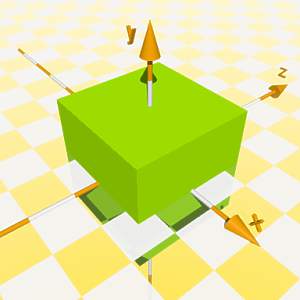 |
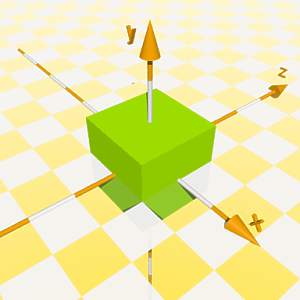
We start with a "box". To get a clearly defined length of the rays we scale the box by the square root of 2. (Then the diagonals of it's surfaces have a length of 2 units!) |
  box { <-1,-1,-1>,< 1,1,1>
        scale <1,1,1>*sqrt(2)
      }
|
 |
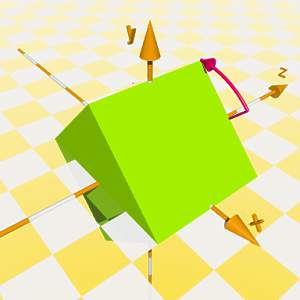 |
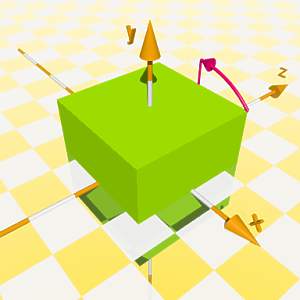
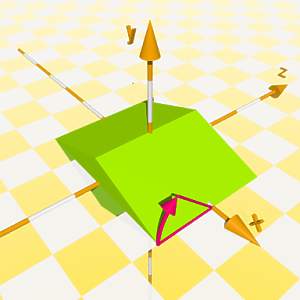
We rotate the box around the z axis by 45 degrees. |
  box { <-1,-1,-1>,< 1,1,1>
        scale <1,1,1>*sqrt(2)
        rotate<0,0,45>
      }
|
 |
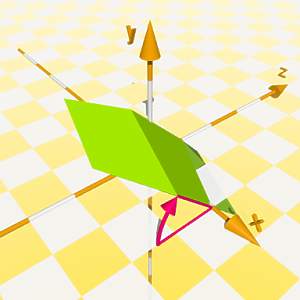 |
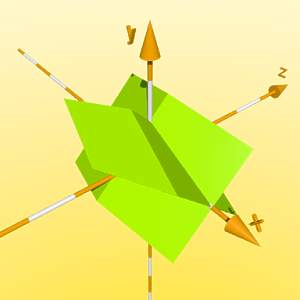
Then the box is scaled in y direction and after this it is turned around the x axis by 45 degrees. We use the declare statement to make this shape now to a new object called "Ray_Profile". |
  #declare Ray_Profile =
   box { <-1,-1,-1>,< 1,1,1>
        scale <1,1,1>*sqrt(2)
        rotate<0,0,45>
        scale <1,0.36,1>
} |
 |
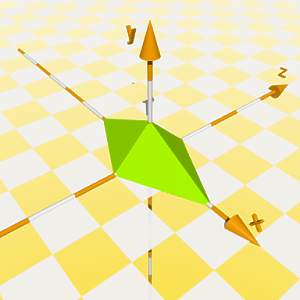 |
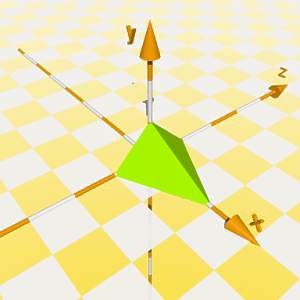
The new object is now mirrored at the xy plane in z direction by "scale<1,1,-1>". Then we make an intersection of the original shape and it's mirror image. |
 intersection{
   object{ Ray_Profile }
   object{ Ray_Profile scale<1,1,-1>}
} |
 |
 |
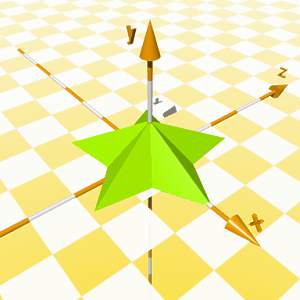
To be able to make also stars with an odd number of rays we need to subtract ( = intersection with the inverse shape) a box to get rid of the left part of our ray shape. This shape now we declare as a new object called "'Ray". |
#declare Ray =
 intersection{
   object{ Ray_Profile }
   object{ Ray_Profile scale<1,1,-1>}
   box{<-2,-1,-1>,<0,1,1> inverse}
} |
 |
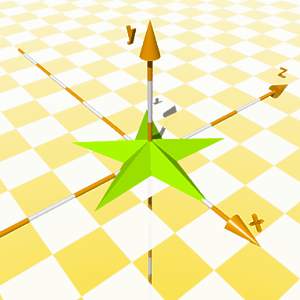 |
The rays of a star were arranged finally by a while loop rotating them around the y axis.
For the right image the rays were made more slender by applying " scale<1,0,5,0.5> ". |
union{
 #local Nr = 0;     // start
 #local EndNr = 5;  // end
 #while (Nr < EndNr)
 object{Ray rotate<0,Nr*360/EndNr,0>}
 #local Nr = Nr + 1;// next Nr
 #end // ------------- end of loop
rotate<0,0,0>
translate<0,0,0>
} // end of union |
Click here for the complete description |
|
 email: (legacy email redacted)